

Clearing User Data
Before you reinstall, try this first.
Game installs contain program files and user data. User data files store your personal settings and configurations. Sometimes it’s helpful to clear that data to:
Fix bugs
Reset settings (graphics, controls, etc.)
Recalibrate your gunstock
Start fresh before a major patch
Standalone Headsets
Most games back up your progress to the cloud. For example:
Ghosts of Tabor and ExfilZone use their own servers
Many others rely on Meta’s Cloud Backup
Check before wiping a game’s user data to ensure you won’t lose progress.
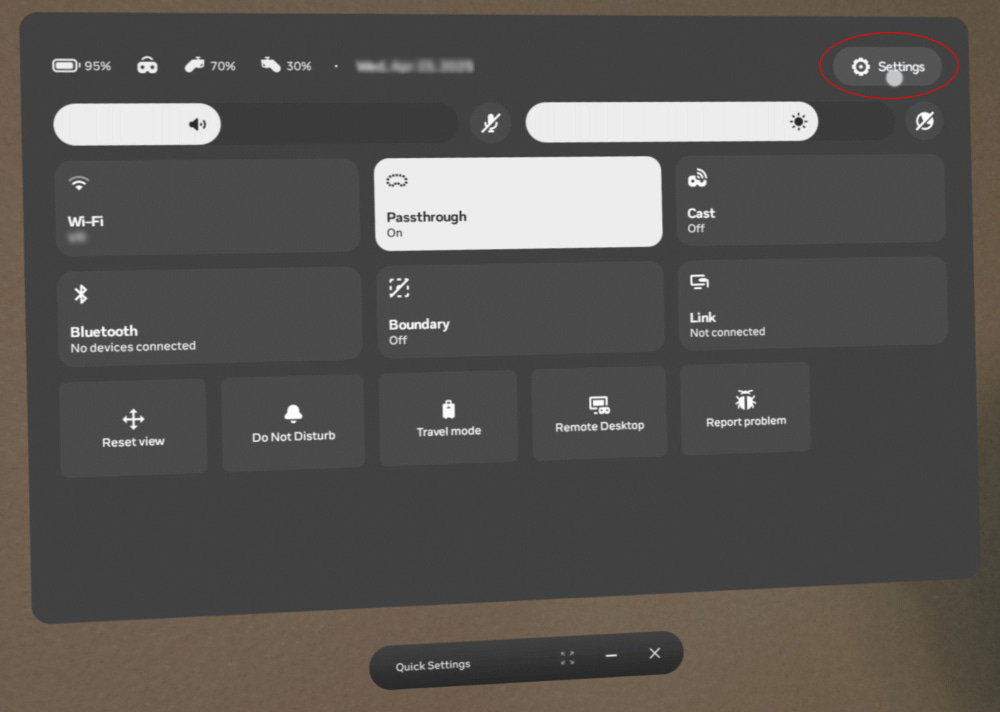
Open Settings.
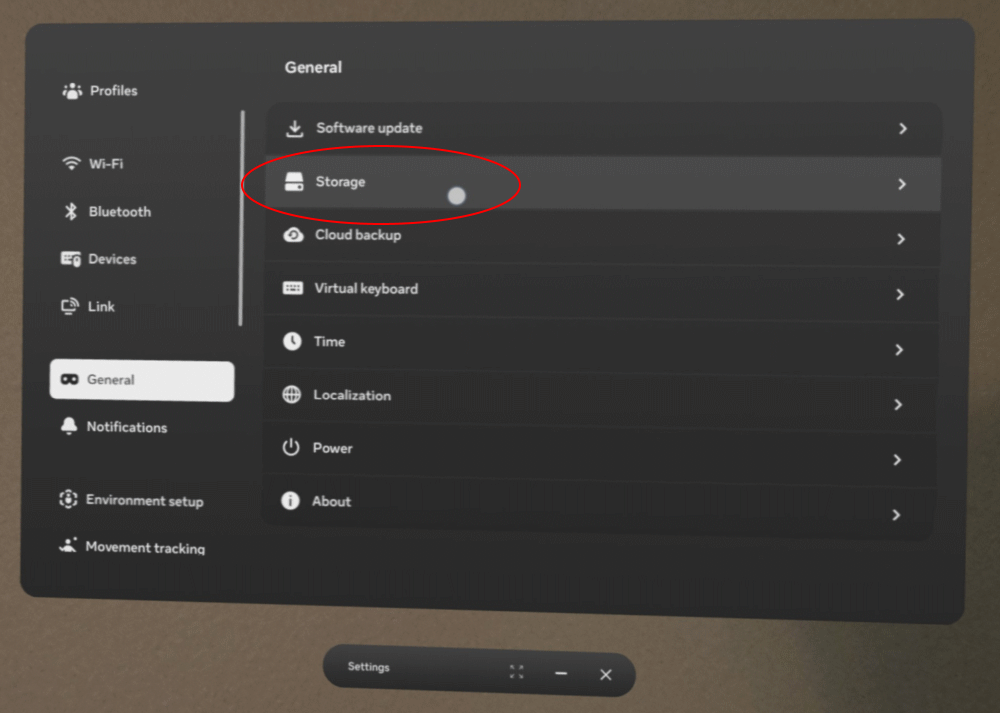
Go to the General tab. Select Storage.
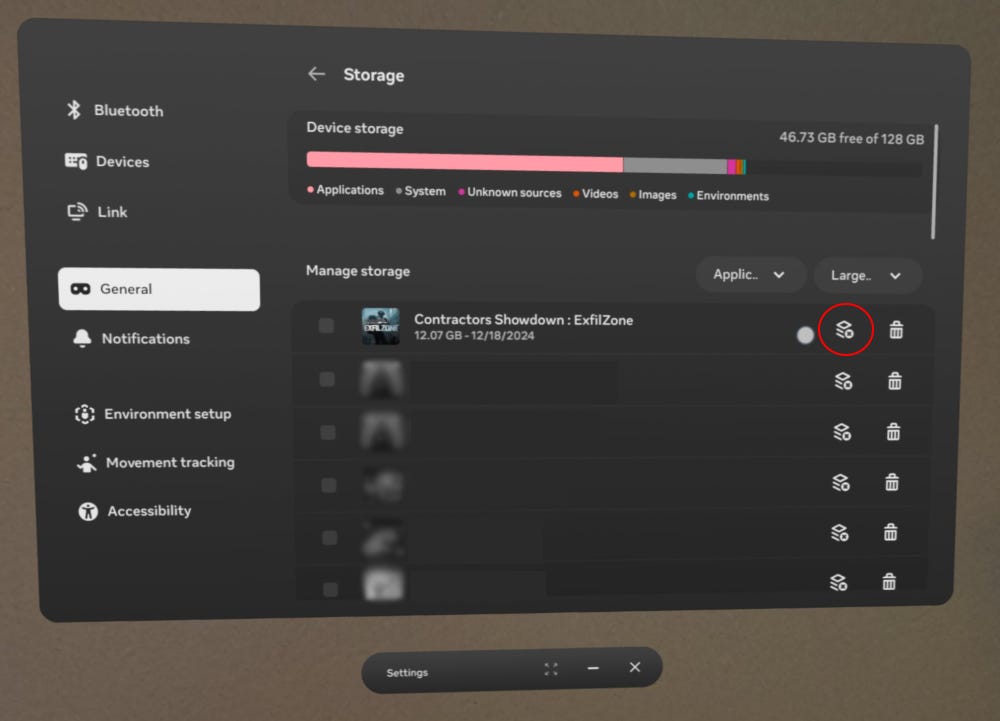
Find your game and click the circled icon.
Accept the warning and confirm.
Bam. User data eliminated.
PCVR
PCVR gives you more flexibility. You can backup and restore folders and files in addition to deleting all of the user data.
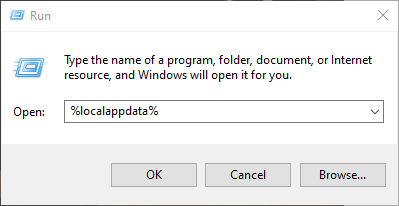
Press Windows + R
Type %localappdata% and hit Enter.
You are now in the user data parent folder. By substituting the below paths, you can go straight to the useful folders.
Contractors Showdown ExfilZone
%localappdata%\Contractors_Showdown\Saved
User data root
%localappdata%\Contractors_Showdown\Saved\SaveGames
ContractorsGunStockCalibrationSave - Reset gunstock calibration.
GameControlSettingSlot - Potential fix for height calibration issues.
GameGraphicSettingSlot - Reset graphics / performance settings to default.
%localappdata%\Contractors_Showdown\Saved\Crashes
Stores Unreal Engine crash reports.
%localappdata%\Contractors_Showdown\Saved\Screenshots
Contains photos taken with the in-game phone
Controls: Trigger toggles camera, B powers on, and A take the picture
%localappdata%\Contractors_Showdown\Saved\Config\WindowsNoEditor
Engine.ini is a nerd’s paradise but unhelpful for everyone else. Tweaks that work in other games don’t seem to work in EZ.
Ghosts of Tabor
%localappdata%\GhostsOfTabor\Saved\
User data root
%localappdata%\GhostsOfTabor\Saved\Logs
Detailed logs for bug reports or the curious
%localappdata%\GhostsOfTabor\Saved\SaveGames
Height Calibration - Includes height calibration (might not be used anymore)
%localappdata%\GhostsOfTabor\Saved\Config\WindowsClient
Same as EZ
Wipes
If your extraction shooter is wiping, consider wiping your user data as well. Just make sure to make a backup. You only need two folders:
ConfigSaveGames
Both combined are usually under 100 KB.
I’ve spent this wipe doing deep dives and not making progress. Wouldn’t change a thing.